2.1 I want to make sure I get everything I need. What else do I need to order besides the timer?
All essentials are included, but here are some items you might want:
Most people order race management software to run the races. View the race management software page.
You will need a USB to serial converter because most computers no longer have serial ports. We have kept the serial output on the timer because of the cable length limitations of USB. Most people use the extension cables so they have the freedom to position the computer anywhere in the room. We offer the USB converter as seperate items because some people may have them or wish to purchase them later.
A case is a great way to keep the timer safe and secure for many years of use. One of the most common problems is that the CDs are missing. It may help to have a case to keep everything together.
Back to Top
2.2 What information do I need when I order a timer?
We need your race date, type of track, and dimensions of the track if it is a custom.
Back to Top
2.3 What software does your timer work with?
We have verified our timer with the following major race management software packages:
GrandPrix and DerbyMaster Race Management Software. GrandPrix has integrated the native command set and uses the full functionality of the timer.
The race management software overview describes and provides links to these packages so that you may choose the package that you like the best. Each one has it's own strengths and they provide free demos.
The GrandPrix V5 and above takes full advantage of our extensive commands. They implement the masking of lanes and allow you to change the photo finish delay settings from within their program.
Back to Top
2.4 Does the SmartLine timer display elapsed times or must I connect it to a laptop and purchase software?
We offer a single or double sided version that displays the elapsed time under the larger 2.25" placement number on the front side of the timer.
Our timer will also send the elapsed times for each car to a computer for use with any software package. The race management packages are convenient, but not necessary. We provide all the commands for you to write your own package. You may also use a terminal program, such as HyperTerminal, to read the results and record them manually.
Back to Top
2.5 How much clearance is there for the cars?
The timer allows for 6 to 7 inches of clearance for the cars. This is a very generous clearance and allows you to race any type of car or truck.
Back to Top
2.7 Why should I choose a SmartLine timer?
The SmartLine timer is a quality product made with state-of-the-art computer components.
The resolution of the timer is better than 0.0001 seconds.
We don't charge extra for the software functions. They are all enabled and ready for use.
It is very easy to install. We make it to fit your track.
View a list of the features.
Our website offers a lot of resources that will help your race experience, and our customer support
will help you with any difficulties you may have.
We have sold thousands of timers with virtually no returns. See what our valued customers have to say in our Testimonials.
Back to Top
2.8 How big are the display numbers?
The placement display numbers are 2 ¼ inches. Very bright and readable across a large room. The 1/2" time display is located on one side under the placement display.
Back to Top
2.9 Can I add lanes later?
No. The timer is made to fit your track.
If you intend to purchase an additional lane in the near future, then purchase a timer with the additional lane. You can use a spacer for the missing lane and set the timer to the number of lanes you wish to use. You would need only a piece of track about a foot long to use as a dummy lane for mounting purposes. Inquire with the track manufacturer about this.
If you have a timer for a smaller track and want to upgrade, we suggest that you consider selling the timer you have and purchasing a new one. We could add parts and make new horizontal pieces but it is not practical.
Back to Top
2.10 Can I add items such as the retrofit sensors for a Space Derby® later?
Yes - You may add any of the additional items at a later date very easily.
For example:
You may add the SmartLine Photo Finish Device and software at any time. It is a separate item so you can add it after some extra fund raising.
If you have a 3 lane SmartLine Pinewood Derby® timer and you want a Space Derby® timer, you may purchase a Space Derby® sensor kit, a display and a connector. You would only need to return the displays for installation of the connector. You would use the computer and displays from the Pinewood timer and mount them on the Space Derby® frame that you have built with the plans provided on the Space Derby® Track page. If you have a 4 lane Pinewood timer then all you need is the Space Derby® Sensor kit. Please note that you do need the Complete Space Derby® Timer if you do not already have a SmartLine Timer. We can not support the use of any other timers with our Space Derby® Sensors.
If you have a 3 lane timer and want to add another lane at a later date, you would only need to purchase a Pinewood Derby® sensor kit that includes a new sensor bar, detectors and the Plexiglas panel. You would also need to purchase 1 display and connector. Please contact us or call us at (845) 229-5189 for details.
Back to Top
2.11 How easy is it to purchase a SmartLine Finish Line Timer?
You may pay with a credit card or check.
We recommend using the PayPal Order Form. You do not need a PayPal account to use it. You just need a valid email account. This is the only way that we can accept credit card orders.
You may pay with a check or money order. Use the standard Order Form, print it out, SUBMIT it and send your check. Read about CHECK OR MONEY ORDER PURCHASES below for details.
You may browse through the Price List page to get an idea of what the price will be and then go to the appropriate order form to purchase your timer.
CREDIT CARD PURCHASES:
If you are paying with a credit card you will use the PayPal Order Form. Take a moment to browse this form. Nothing will be added to your shopping cart unless you select it. It can also be removed or changed at any time.
Even if you don't have a PayPal account, you will be prompted through 4 simple steps.
For new buyers, signing up for a PayPal account is now optional. This means you can complete payments first, and then decide whether to save your information for future purchases. The purchase process is more convenient.
When you decide to make a purchase, you are walked through four easy steps:
Shipping information -- Enter your name and shipping address.
Billing information -- Enter your credit card information, email address and phone number. You also have the option to send a message to us.
Review of payment information -- Review what you've entered to make sure it's correct. You can either edit the information or complete the checkout process.
Save customer information with PayPal (optional) -- To shop more quickly and easily in the future, you can save the personal information that you've already entered with PayPal. To create a PayPal account, all you need to do is choose a password and answer a few security questions.
CHECK OR MONEY ORDER PURCHASES:
If you are paying with check or money order, you will use the standard Order Form.
The totals will automatically be updated for you as you select items to purchase.
Please print the form out before selecting the Submit button. A confirmation page will be shown when the order is sent correctly and we will send you a notice via email that your order was received. We will process your order when the check or money order are received through the mail.
Please make sure that you make the check out to Probe Products Corporation or Richard Fritz and send it to 36 Matuk Drive, Hyde Park, NY 12538
Back to Top


 us!
us!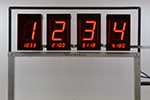

 Detailed Info